















PowerApps for Manufacturing: Where Does It Fit?

| Audience: | Manufacturing Executives, Lean Management and Continuous Improvement Professionals, Operational Leaders and Safety Officers |
| Last updated: | May 20, 2026 |
| Read time: | 9 min |


- How to distinguish between recording data and governing management behavior across the shop floor.
- Why Gemba Walks and Tiered Meetings require structural escalation and adherence tracking to ensure issues are resolved.
- The total cost of ownership associated with internal software development versus ready-to-use operational excellence software.
Many manufacturing organizations successfully use Microsoft Power Apps to build custom internal tools. Because the license is often already included in Microsoft 365, it represents a low-friction way to move away from paper checklists and spreadsheets.
The low-code software is flexible. It allows internal teams to quickly build forms for specific data capture needs. This flexibility makes it a popular starting point for digitalization projects across manufacturing companies.
As these projects grow in scope, operations leaders must distinguish between a custom utility and a complete Daily Management System (DMS). While a custom app can record data, a DMS is designed to drive the execution of management standards consistently across shifts and sites.
What Is Microsoft Power Apps? Low-Code Platform Definition
Microsoft Power Apps is a low-code app builder included in the Microsoft Power Platform. It belongs to a category often described as application-making software, alongside other app platforms that let business users assemble tools without writing traditional code. Power Apps connects data sources such as SharePoint, Excel, and Dataverse via a drag-and-drop interface and supports both Microsoft 365 Power Apps users and external integrations.
In manufacturing businesses, Power Apps is often used to build apps for specific data capture tasks. A maintenance technician might log machine readings to track asset health. A safety officer might record incidents. The software handles the data flow between front-end forms and back-end storage.
What Are The Three Types of Power Apps: Canvas, Model, and AI Builder
Microsoft offers three types of Power Apps, each designed for different use cases.
Canvas apps give expert developers and citizen developers full control over the user interface. They are built by dragging components onto a screen and connecting them to data sources. Canvas apps are well-suited for custom business applications and those where the look and feel matter.
Model-driven apps are generated from a data model in Microsoft Dataverse. They follow a standardized layout and are useful when the underlying data structure is the design priority.
Card apps and the newer AI-powered applications use Microsoft Power Apps AI builder to add intelligence to forms. AI Power Apps can read documents, classify images, and predict outcomes. They still require an internal build effort to define the logic.
What Are Power Apps for Makers and Citizen Developers?
Microsoft positions the Power Platform app for makers, meaning non-developer users who can build apps for their own teams. Power Apps developers and Power Apps development services support more complex projects, but the value is helping citizen builders build applications tailored to their team’s needs.
This works well for narrow internal tools. It runs into limits when the goal shifts from a single app to a coordinated management system across multiple sites.
Power Apps in the Manufacturing Industry
Power Apps in the manufacturing industry tend to follow a predictable pattern. A team identifies a manual process that needs to move off paper. An internal builder creates a Power App. The app goes live. The team is satisfied. A second team sees the success and asks for a similar app. The cycle repeats.
Over time, manufacturers and manufacturing companies accumulate a portfolio of disconnected manufacturer apps. Each one solves a specific problem in isolation. None of them shares a common framework for escalation, follow-up, or adherence to standards.
Industry leaders leverage Tervene to control their daily operations


Common Use Cases on the Production Floor
Common use cases for Power Apps include:
- Production floor data capture forms feeding Power BI dashboards.
- Custom safety inspection apps tied to predefined thresholds.
- Maintenance request flows that route to support groups and help track asset health.
- Supply chain notifications when inventory management or forecast demand triggers fire.
- Quality reporting tools that record potential issues for later review.
These solutions are valuable. They are not, by themselves, a Daily Management System. The gap is structural rather than technical.
Understanding the Role of Power Apps for Manufacturing Teams
Power Apps for manufacturing is a development tool that excels at capturing narrow data. It is a logical choice for localized tasks. Examples include a maintenance request form for a specific machine or a custom safety inspection for a single department.
These custom applications act as systems of record. They store information for later review and help organizations move away from physical filing cabinets and Excel-based manual processes.
A Daily Management System governs the human behavior required to run a plant. It standardizes huddles, floor walks, and follow-up routines. This level of governance is comparable to ERP systems.
Just as an organization uses dedicated software to govern financial transactions, they use dedicated DMS tools to govern management routines. The difference is not about technical capability. It is about structural intent. One software records an event. The other ensures the event happens according to a standard.
Low-Code Versus Ready-to-Use Software
Microsoft positions Power Apps as a low-code app builder. This means that while users do not need to write traditional code, they still need to build the logic and design the interface. They must also manage the data connections themselves.
Low-code is a development methodology. It requires an internal team to build, test, and maintain apps over time. A business app builder, even with a strong code platform behind it, still demands ongoing developer attention. The Microsoft Power Apps low-code platform is a capable environment, but it remains a build environment.
In contrast, Tervene is ready-to-use software. It does not require building from scratch. Instead, it operationalizes management standards. While no-code tools allow users to build apps without programming, Tervene goes further by offering a tried-and-tested execution layer based on years of industry experience with manufacturing leaders.
The primary advantage of a ready-to-use system is that the operational logic is already built in. Leaders do not spend time configuring escalation workflows. They spend time executing the workflow.
Beyond the Form: Mapping the Operational Execution Chain
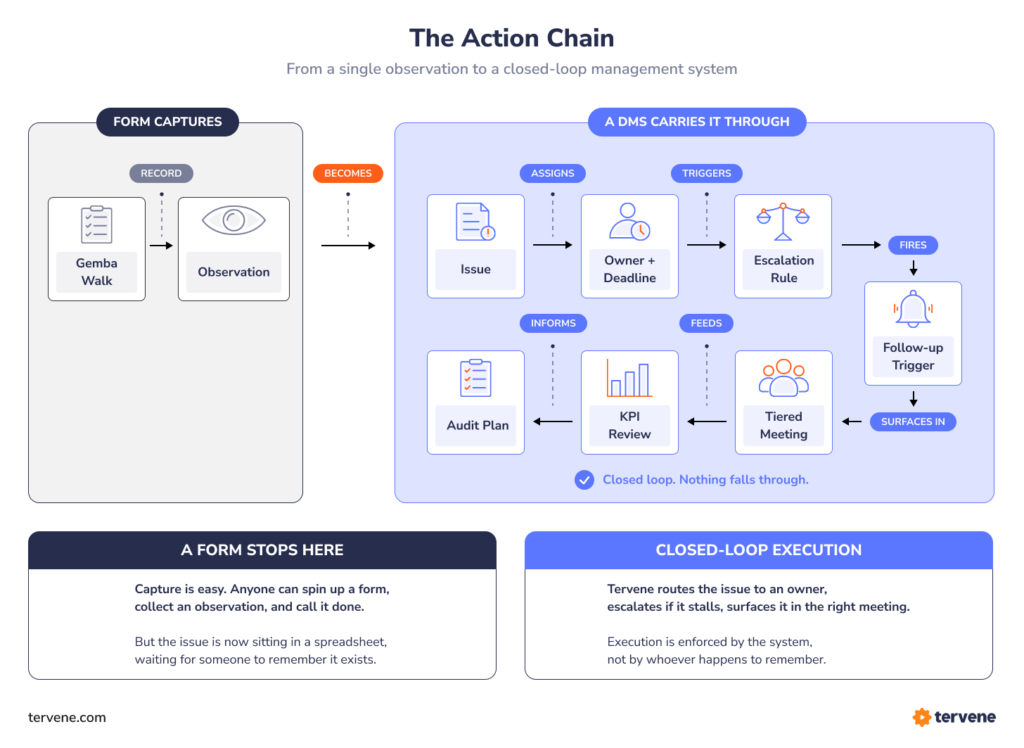
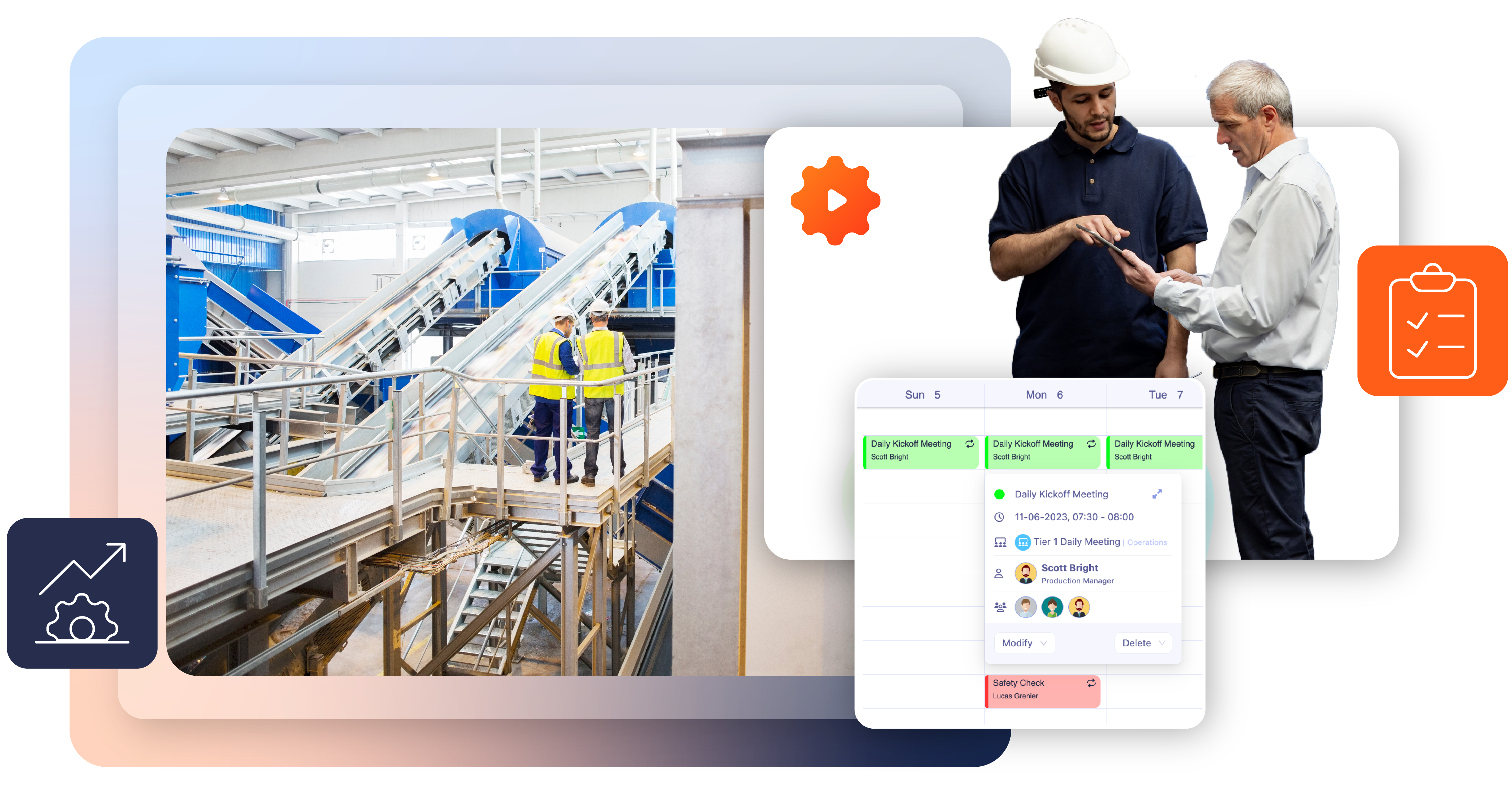
For example, digitalizing a Gemba Walk often begins with a simple form to capture observations. In a mature operating model, that observation is only the first node in a chain of accountable actions.
A Gemba Walk tool must support a continuous loop. An observation creates an issue. That issue must be assigned to an owner with a deadline and follow-up trigger.
If the issue remains unresolved, it must trigger an automated escalation rule that surfaces in a Tiered Meeting. A Daily Management System carries the output of a walk-through to resolution.
When using custom-built forms, these downstream steps often live in disconnected silos. They end up in Teams chats or email threads. Tervene standardizes these high-impact workflows into a single execution layer.
Establish management standards with Tervene’s tools


Tervene vs Power Apps: The Difference Between Flexibility and Governance
The primary advantage of Power Apps is its total flexibility. A power user can create a screen that looks exactly like a specific paper form. This is ideal for isolated data collection.
However, daily management and operational excellence rely on standardization rather than flexibility. Tervene’s software is built on an execution system refined over years of experience integrating such procedures for manufacturing leaders, with the logic already in place. It enforces cadence, measures adherence to routine, and provides structured escalation rules.
In this context, Tervene is a system of action. It prompts the huddle, logs the routine adherence, and ensures issues are resolved.

Result: Siemens resolved 96 percent of issues across 17,000-plus logged activities using this structured approach.
Evaluating the Long-Term Cost of Custom Manufacturing Software
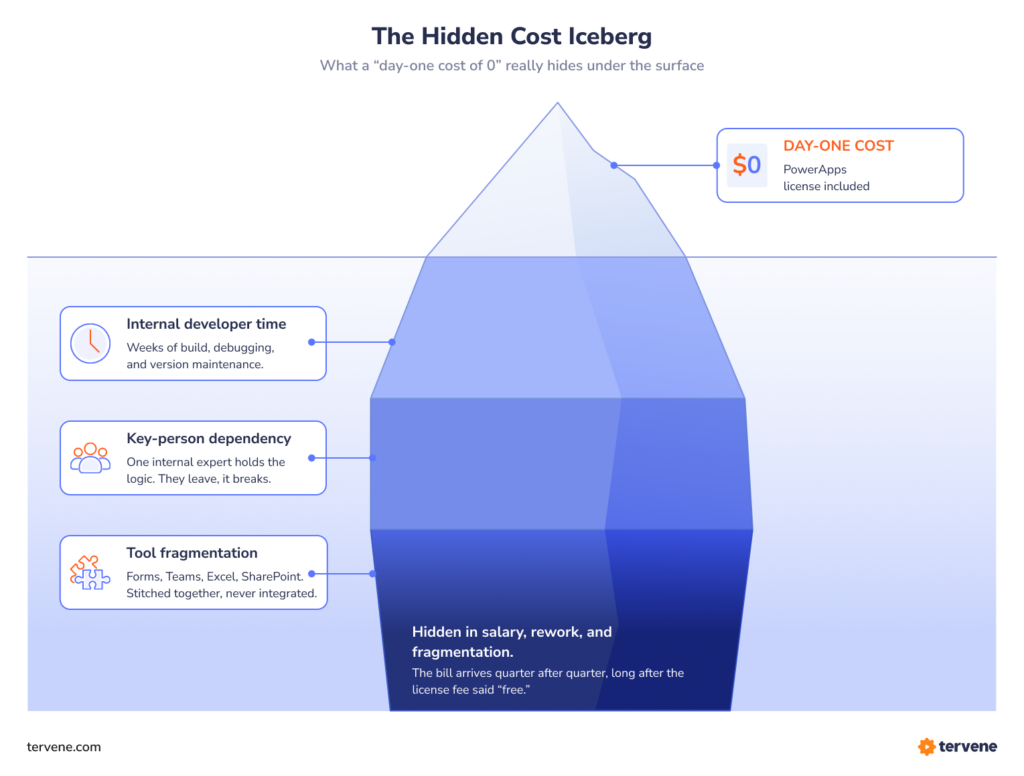
The initial cost of building a tool in Power Apps is often perceived as zero. Operations leaders should consider the hidden costs that appear as the software scales.
Internal Resource Requirements
Maintaining custom code, fixing bugs, and managing feature requests often requires a full-time internal resource by the six-month mark. Power Apps development services and Power Apps services from external partners can fill the gap, but they add a recurring line item that was not in the original business case.
Key-Person Dependency
If the expert developer who built the app leaves the company, the system and the culture it supports can collapse.
Digital Silos
Custom builds often lead to fragmented data, where Gemba Walks, Tiered Meetings, and Task Management do not share a common language. Decision-making suffers when complex data lives in disconnected silos, and the picture leaders need to act on becomes harder to assemble.
Tervene provides ready-to-use DMS and Operational Excellence tools that eliminate this internal maintenance burden. This allows the Continuous Improvement (CI) specialist to focus on improving the process rather than debugging a custom app.
Side-by-Side: Functional Capabilities for Daily Management
| Capability | Power Apps Custom Build | Tervene Software |
| Primary Goal | Custom data record | Driving management execution |
| Unit of Work | Form entry | Routine, issue, and adherence |
| Adherence Tracking | Manual or custom-built | Native cadence and completion metrics |
| Escalation Logic | Per-app custom flows | Standardized rules across all tools |
| Tiered Meetings | Disconnected data | Native cascading huddle agendas |
| Deployment Time | Months of development | Days to weeks of configuration |
Discover why leaders choose Tervene as their Daily Management System
Download your executive summary
Deciding the Right Path for Your Operating Model
The choice between building in Power Apps and implementing Tervene depends on the project’s goal. If the goal is to digitize a specific, isolated form for a unique task, Power Apps is a valid utility.
It is well-suited for one-off tools that do not require deep integration with other management routines. If your goal is to operationalize management standards across employees, sites, and supply chain operations, a Daily Management and Operational Excellence software like Tervene is the right choice.
Organizations like Mars Wrigley have completed 6,500-plus structured routines using this dedicated approach. Rotobec achieved a 14 percent productivity gain in only 7 weeks by using a system designed for the floor.
Standardizing routines and tracking adherence are foundational problems already solved by Tervene tools. Customer feedback from manufacturing companies running both approaches consistently points to the same outcome: ready-to-use software protects the bottom lines that custom builds erodes. Before starting your next project, consider whether you are building a form or running an operating model.
Ready to See What a Digital DMS Looks Like in Practice?
If you are evaluating Power Apps vs. Tervene, the most effective next step is to see how a proven system works in a real operational context.
Tervene is designed specifically for manufacturing leaders who want to:
- Structure daily management routines
- Increase accountability across teams
- Detect and resolve issues faster
- Standardize execution across sites
Deployment takes weeks, not months. Your teams are supported with training, guidance, and ongoing assistance. The system is built on years of real-world operational experience.
Digitalize your Daily Management System (DMS)
- Standardize management practices
- Gain control over your daily operations
- Establish management standards across the organization
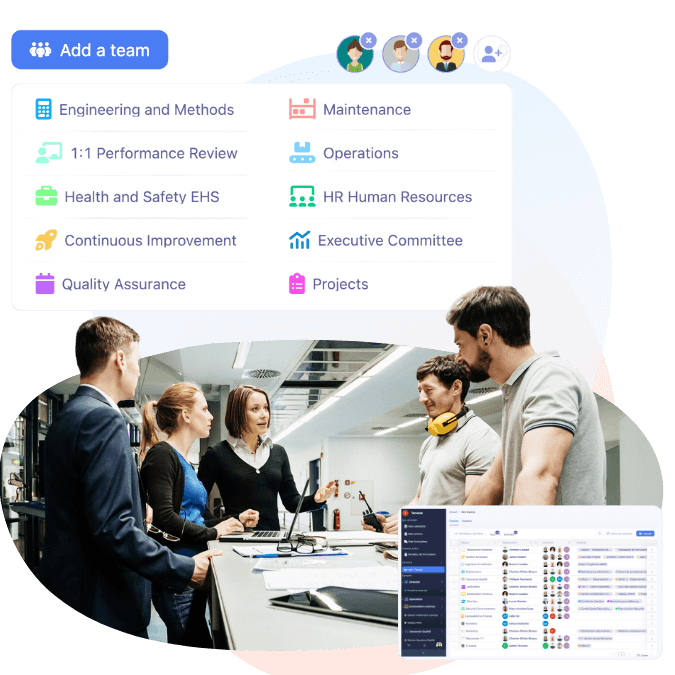
Book a demo to see how a digital DMS can be deployed in your environment and start delivering results quickly.
FAQ: Power Apps vs. Tervene
Microsoft Power Apps is a low-code development tool for building custom internal applications. Tervene is a Daily Management and Operational Excellence software designed to drive management execution.
While Power Apps allows you to build a custom form for data capture, Tervene provides the execution layer. This system enforces routines, tracks adherence, and manages escalations as a standard.
Tervene software allows you to embed widgets from various tools used across your organization. You can link and view Microsoft Power BI reports, Excel files, Word documents, Outlook calendars, and PowerPoint presentations directly within your dashboards.
The system also supports viewing Google Sheets, Docs, and Slides. This ensures your team has immediate access to relevant documentation within a single execution layer.
Building Gemba Walk tools in Power Apps is an option for narrow data capture or isolated pilots. However, a dedicated system is often better for scaling operational excellence across multiple sites.
Tervene provides ready-to-use tools that manage the entire execution chain. This includes observation capture, issue resolution, and Tiered Meetings. Organizations using Tervene often see an 88 percent issue resolution rate.
You can build forms in Power Apps to record Leader Standard Work activities. The challenge is that Power Apps acts as a system of record rather than a system of action.
Tervene provides LSW tools that proactively prompt routines and track adherence to standard work. This structural approach ensures that management behaviors actually align with the defined standard.
The initial license for Power Apps often appears free if you already own Microsoft 365. Long-term costs typically include internal developer time and maintenance for custom code.
There is also a risk of key-person dependency if the builder leaves the organization. Tervene removes these costs by providing a vendor-managed system. This allows your teams to focus on operational improvement rather than software maintenance.