













Kaizen Boards: Continuous Improvement Meets Visual Management

| Audience: | Manufacturing Managers, Healthcare Administrators, Operational Excellence and Lean Management Practitioners, HR Coordinators, Organizational Leaders |
| Last updated: | January 5, 2026 |
| Read time: | 5 min |



- They organize improvement ideas into stages (Idea Backlog, In Progress, Completed) to monitor progress effectively.
- Cross-functional teams brainstorm solutions and create actionable plans to address inefficiencies.
- Digital Kaizen boards reduce waste, boost productivity, and enhance employee engagement in real-time.
What is a Kaizen Board?
A Kaizen board is a visual management tool used to track continuous improvement initiatives within an organization. Rooted in Kaizen principles, it helps teams identify inefficiencies, document solutions, and monitor progress toward operational excellence.
Kaizen is a Japanese word for “improvement.” Toyota formalized it in the 1950s, and Masaaki Imai popularized it worldwide in 1986. Unlike Kanban boards, which focus on managing flow, Kaizen boards focus solely on improvement work, making them a core tool for Lean manufacturing teams.
Kaizen boards can be on a whiteboard with sticky notes or in a digital tool, but the job is the same: make improvement opportunities visible, assign each one an owner, and ensure someone follows through. On the shop floor, they usually sit at the line, cell, or department level as part of daily management, so teams can quickly see what’s open, what’s in progress, and what’s already closed.
How does a Kaizen Board work?
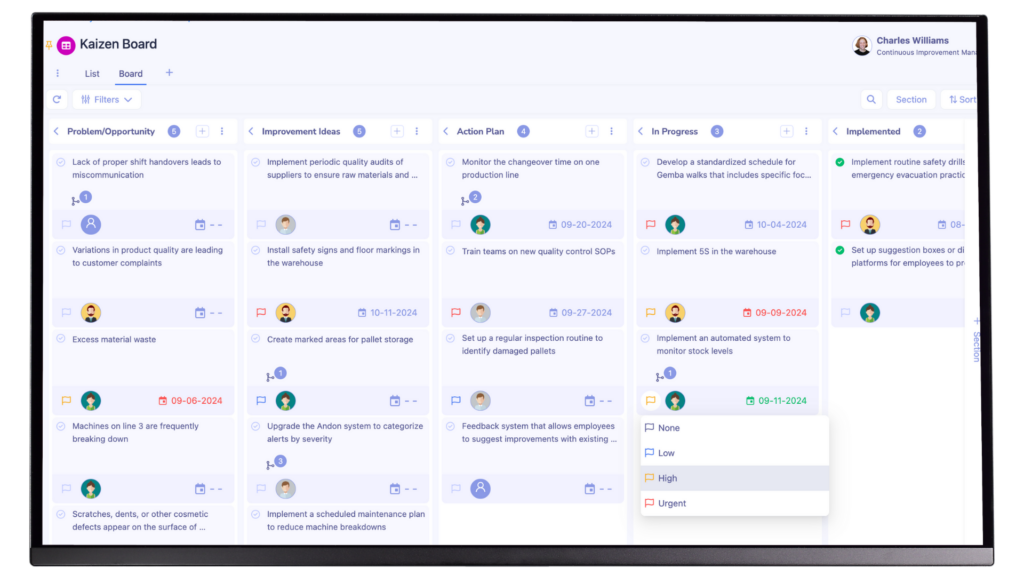
Originally, Kaizen boards were paper-based, giving teams a physical way to track improvement ideas. The tradeoff was limited access and manual updates. Digital Kaizen boards now support this with tracking, remote collaboration, and integrations with other management systems.
A standard Kaizen board layout typically includes:
- Idea Backlog: Where improvement suggestions are recorded.
- In Progress: Tasks currently underway.
- Completed: Successfully implemented improvements.
- Results & Impact: Metrics demonstrate the effectiveness of changes.
Ideas move from left to right as they are prioritized, implemented, and reviewed in daily or weekly meetings, making the entire improvement cycle visible to the entire team.
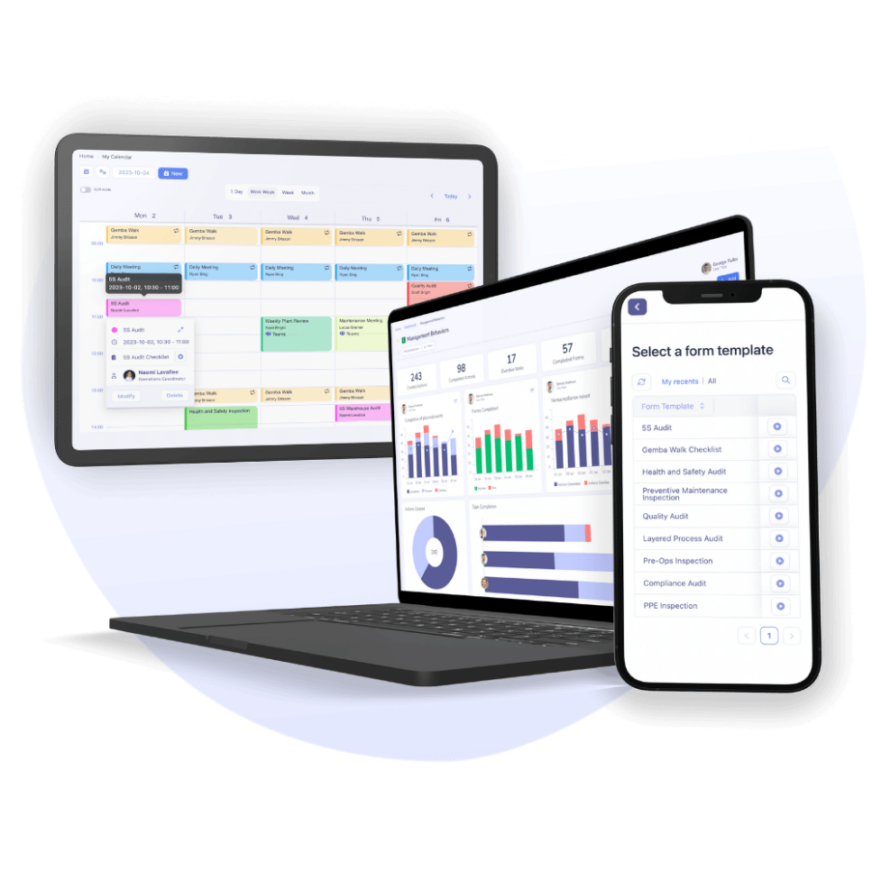
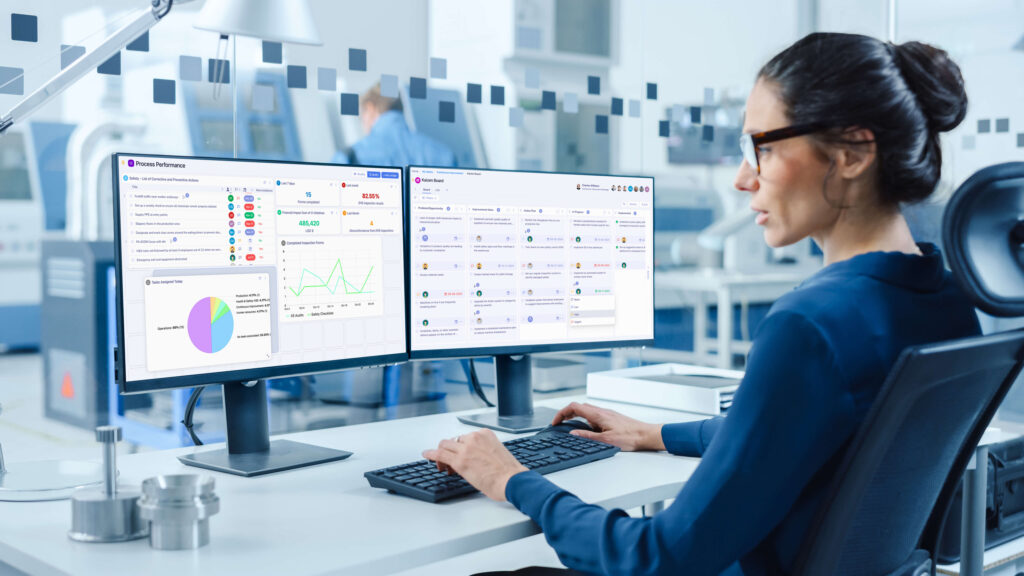
Digital visual management solutions like Tervene centralize these Kaizen boards, standardize action follow-ups, and provide supervisors and managers with an instant view of progress across lines, departments, or sites.
Industry leaders leverage Tervene to gain visibility with visual management boards


Kaizen Board vs. Kanban Board: key differences
| Feature | Kaizen Board | Kanban Board |
| Purpose | Focuses on continuous improvement | Manages workflow and task completion |
| Structure | Tracks improvement ideas & their implementation | Organizes work items in stages (To Do, Doing, Done) |
| Use Case | Identifying & solving inefficiencies | Managing production tasks & delivery timelines |
Why Kaizen matters in manufacturing
Kaizen is about working effectively as a team to drive continuous improvement. That means creating a state of ‘flow’ by ensuring that all relevant parties can easily contribute, access, and share the same information.
A common goal of Kaizen is to implement cross-functional teams, including people from both the shop floor and back office – in other words, everyone who’s involved in a particular process or set of processes.
Kaizen also focuses on eliminating waste by improving productivity. As the industry faces ever-evolving demands to adopt more sustainable production models while also meeting customer expectations, Kaizen has become a cornerstone of Lean manufacturing. Other potential benefits of using Kaizen boards in manufacturing include simplifying work processes, enhancing safety, and improving employee satisfaction.
In day-to-day operations, Kaizen boards make this approach tangible by visualizing problems, actions, and results all in one place. Teams can quickly see where issues recur, where actions are delayed, and where improvements have delivered measurable performance gains.
Step-by-step Kaizen Board setup
There are several ways to implement the Kaizen framework within your organization. No two Kaizen boards will look the same, and that’s normal. Kaizen is more of a management philosophy than a single tool, but the steps below provide a practical framework you can integrate directly into your processes and production floor.
1. Identify the focus area
Pick one specific process, department, or problem to improve, for example, reducing cycle times, cutting waste, or improving changeover performance. The tighter the scope, the easier it is for everyone to know what actually belongs on the Kaizen board, rather than turning it into a generic suggestion wall. In manufacturing, this usually means starting small, like one line or one plant, with a clearly defined improvement goal and time frame so people clearly know what “success” looks like.
2. Assemble a cross-functional team
Bring in management, frontline operators, and support functions so you’re not solving problems from a single angle. Operators, team leaders, maintenance, quality, logistics, and engineering teams often all see different parts of the same issue. When you combine those views, the solutions become much clearer. Cross-functional participation also boosts ownership, which sustains continuous improvement over time.
3. Define board layout and problem categories
Group issues into a few clear buckets, such as productivity bottlenecks, resource waste, quality defects, safety risks, or communication gaps. On the Kaizen board, these can show up as different colour codes or simple labels. A clean structure makes the board easier to scan, helps you spot recurring patterns at a glance, and makes it much simpler to decide where to focus root-cause analysis and limited resources.
Digitalize your visual management system and track KPIs with Tervene’s tools


4. Brainstorm & display ideas on cards
Ask team members to write their ideas on Kaizen cards and put them directly on the board. On each card, note the problem, the impact, and a quick draft of possible countermeasures. Run short, focused brainstorming huddles and back them up with visuals. Include process maps, photos, standard work sheets, whatever helps. The goal is to turn observations into concrete improvement experiments that the team can run immediately.
5. Develop an action plan (5W1H)
For each selected idea, turn it into a concrete action with the 5W and H method: Who does What, When, Where, Why, and How. This step moves you from a simple suggestion to a clearly defined task with an action plan and a deadline. Writing this directly on the Kaizen board makes ownership and timing visible to everyone. It allows the team to follow each item as it moves from “Idea Backlog” to “In Progress” and finally “Completed”.
6. Monitor daily activity & adjust as needed
Use the Kaizen board in daily huddles and review meetings as a working tool, not wallpaper, to look at progress and key performance indicators, then change actions when the numbers tell you to. Move cards through the columns (Idea Backlog, In Progress, Completed) as work moves forward. Share shifts in metrics such as cycle time, scrap, downtime, or safety incidents so the team can see what their efforts have changed and adjust the plan again when the expected gains still aren’t there.r

10 Visual Management Must-Haves [eBook]
Common Kaizen Board mistakes: how to avoid them
- Lack of engagement: When only managers touch the board, people on the floor stop paying attention. Make it part of the daily huddle, and have operators post their own problems and ideas.
- Resistance to change: When Kaizen is perceived as extra work or as a control issue, people tune out. Keep the why simple, let teams shape how the board is used, and point out quick wins early.
- Tracking too many initiatives: When the board is overloaded, priorities blur. Limit the work in progress and keep the focus on a short list of high-impact improvements.
- No clear ownership for actions: If it’s not clear who owns a task, it stalls. Assign each action a single owner and list their name directly on the card or on the digital board.
Kaizen Board examples across industries
- Manufacturing: Cut machine downtime by logging recurring stoppages on the board, ranking root causes, and tracking preventive actions like maintenance checks or parameter tweaks.
- Healthcare: Improve patient flow by making bottlenecks visible (lab results, imaging, discharge approvals), assigning actions, and monitoring delays from admission to discharge.
- Office environments: Clean up document and approval workflows by posting issues tied to rework or waiting time, then implement and track fixes such as simpler forms or clearer responsibilities.
Digital Kaizen board software for easier implementation
Kaizen can seem complicated to implement, but it doesn’t have to be. Simple digital visual management boards help address issues such as poor visibility into progress and teams pushing back against change. It’s imperative that your Kaizen boards are tailored to your specific use case and digitized for easy accessibility and integration with key production, quality, and safety data sources.
Cloud-based Kaizen boards are a natural next step in operational performance, providing managers and frontline teams with the scale, easy access, and instant updates they need to drive meaningful change.
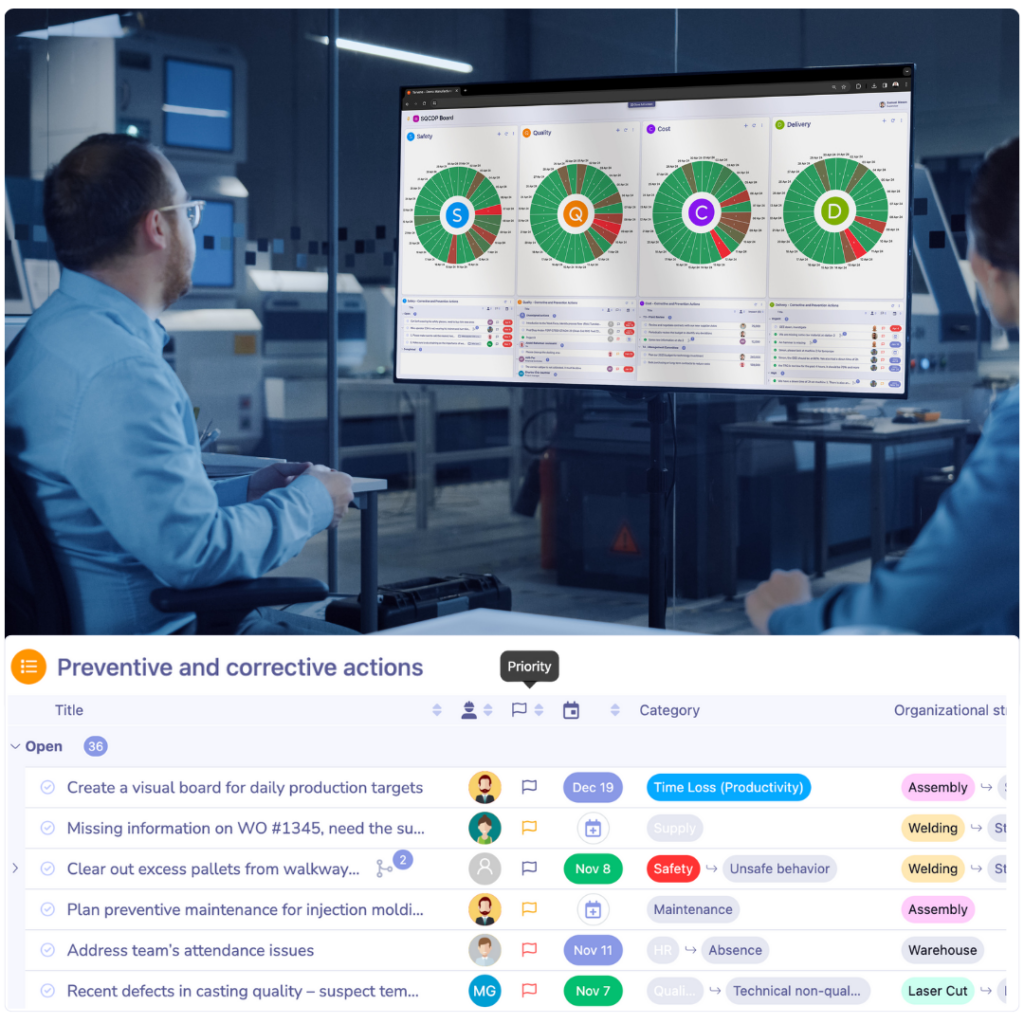
Tervene helps manufacturers gain operational control through digital visual management solutions by centralizing Kaizen boards, action plans, audits, and daily management routines on a single platform. Book your demo today to see it in action.
Digitize your dashboards with Tervene and gain better visibility into your operations and KPIs
- Use mobile and digital boards to share performance instantly
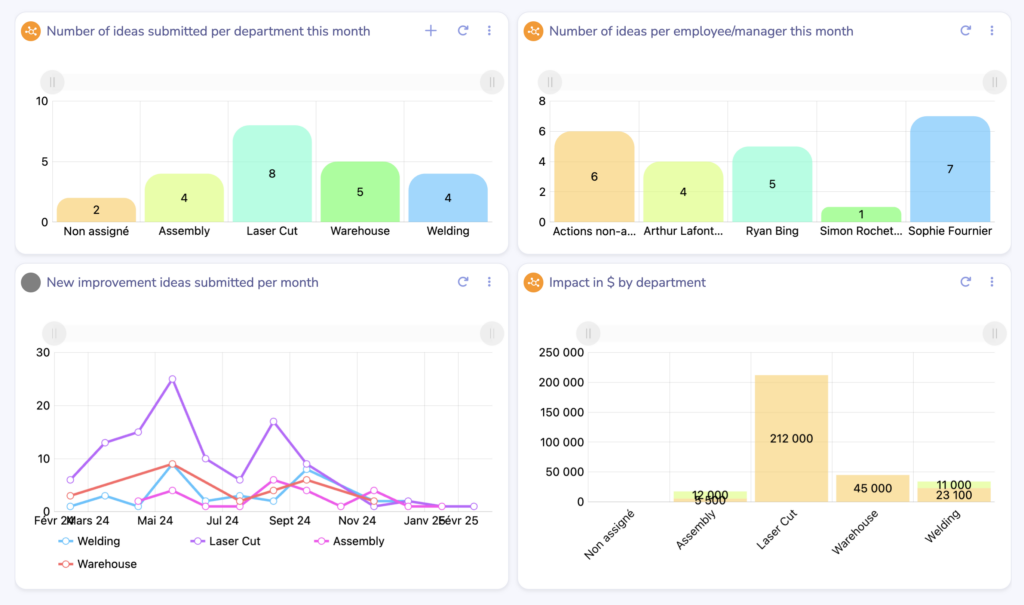
- Build custom dashboards to track KPIs, corrective, and preventive actions
- Keep teams aligned with standardized displays and updates
FAQ: Kaizen Board
A Kaizen board is designed to track and visualize improvement initiatives, allowing teams to continuously refine processes and reduce inefficiencies.
A typical Kaizen board consists of four primary sections: Idea Backlog, In Progress, Completed, and Results & Impact, helping teams systematically manage continuous improvement efforts.
While Kaizen focuses on continuous improvement, Kanban optimizes workflow management by visualizing tasks and their progress through different stages.
Ideally, Kaizen boards should be updated in real-time and reviewed during weekly or monthly Kaizen meetings.
Yes! Kaizen boards are effective in healthcare, software development, education, and office environments to track and implement continuous improvement initiatives.
Digital Kaizen boards offer real-time updates, remote accessibility, automated reporting, and seamless integration with existing systems, making them more flexible and efficient than traditional whiteboards.
Encourage usage by making it a visible part of team meetings, setting clear goals, rewarding participation, and providing training on its benefits.
Absolutely! Kaizen boards identify inefficiencies, eliminate unnecessary steps, and enhance resource utilization, supporting Lean and waste-reduction efforts.